
From setup to a daily rhythm
Quit Sweet takes a few minutes to set up and a few taps a day to use. Here is each step, in the order you will meet it.
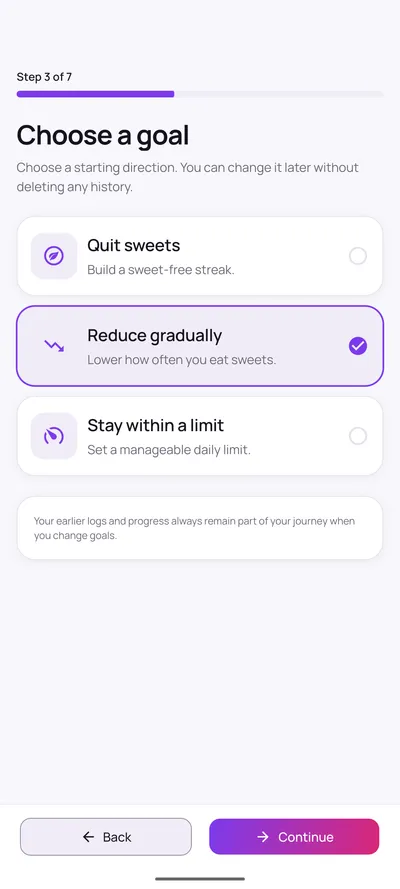
1. Choose a goal
Pick the goal style that matches where you are today, not where you would like to be.
Quit Sweet offers three ways to measure progress, described in detail below. The choice only affects how streaks and on-goal days are calculated. It does not change what you are able to log.
You are not locked in. Changing your mind later recalculates your statistics from entries you have already saved, and deletes nothing.
2. Set your starting point
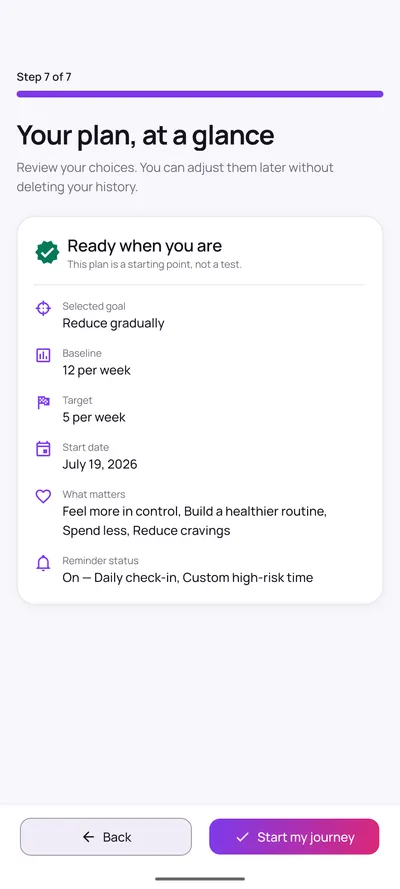
A rough estimate is enough. You will never be asked to enter sugar grams to get started.
Say roughly how many sweets you have per day or per week, then set a target. That pair is what the app compares your entries against, so an honest guess is more useful than a flattering one.
You can optionally add an average weekly spend and pick a currency. That is used only for the money-saved estimate, and can be left blank.
Finally, choose a journey start date: today, or a date in the past if you have already begun.
3. Log a sweet
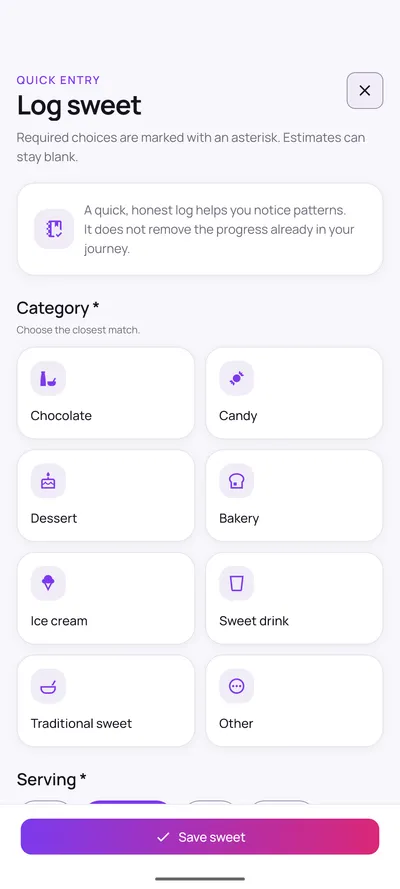
Choose a category and a serving size. Everything else is optional.
There are eight categories: chocolate, candy, dessert, bakery, ice cream, sweet drink, traditional sweet and other. The date and time are filled in for you, and both can be changed if you are recording something from earlier.
Sugar grams, estimated cost, a trigger, your mood before and after, and a note are all optional fields. Skipping them does not make the entry less valid.
4. Use Craving Help
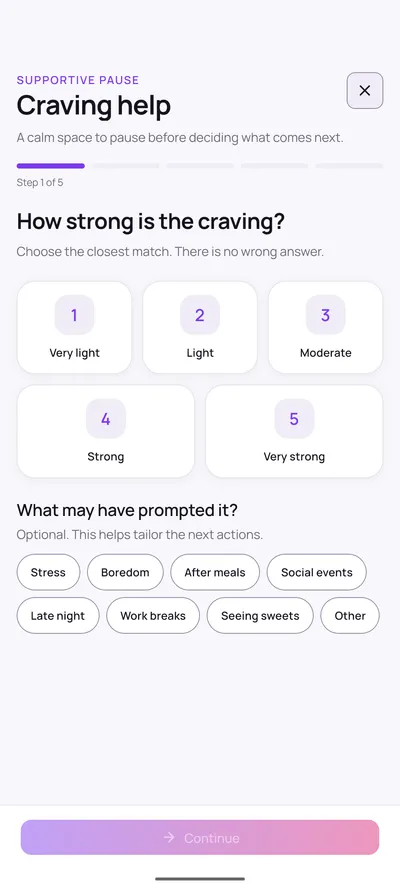
A five-step pause you can open whenever a craving turns up, and leave at any point.
Rate how strong the craving feels, optionally note what prompted it, then follow a short breathing exercise. You can add a 3, 5 or 10 minute delay, or skip straight past it.
Next, pick one small alternative action such as drinking water or moving to a different room. Finally, record what happened: the craving passed, you ate something sweet, or you are not sure yet.
Recording that you ate something is treated as ordinary data, not a failure. An honest log is what makes the pattern views worth reading.
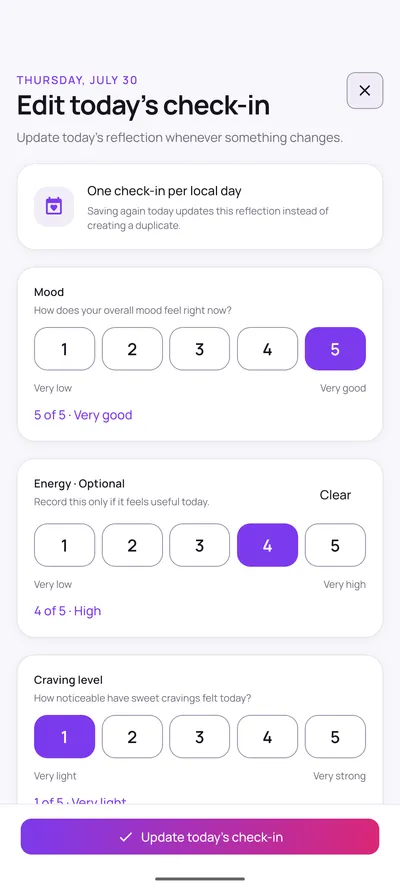
5. Complete a daily check-in
One short reflection per day on mood, energy and how noticeable cravings felt.
Each is a 1 to 5 scale, and energy is optional. Saving again on the same day updates that day’s entry rather than creating a duplicate, so there is exactly one check-in per local calendar day.
Check-ins are the part of the app that captures how you felt, rather than only what you ate, which is often what explains a difficult week.
6. Review your progress
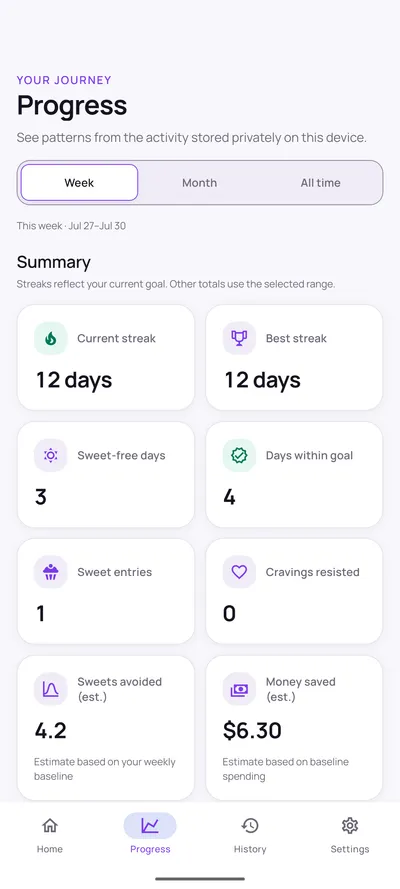
Streaks, weekly charts, craving timing and a goal calendar, all built from your own entries.
The Progress tab covers week, month and all-time ranges. You get a current and best streak, on-goal days, a seven-day bar chart against your target, a four-week trend, craving distribution by time of day, and a 30-day goal calendar.
Two figures, sweets avoided and money saved, are estimates derived from the baseline you entered, and the app labels them as such.
7. Adjust your goal without losing history
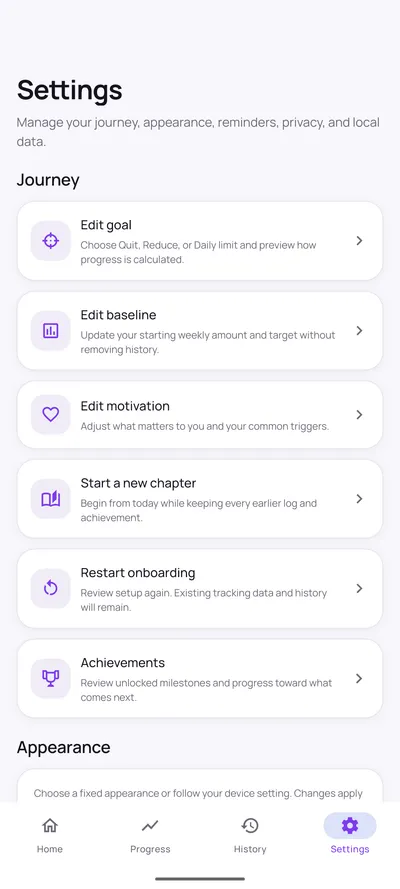
Goals are meant to change. Nothing you have recorded is thrown away when they do.
Settings lets you edit your goal mode, your baseline and target, and what matters to you. Switching modes recalculates current statistics from your saved entries. The entries themselves are untouched.
There is also a "Start a new chapter" option, which begins a fresh run from today while keeping every earlier log and achievement.
8. Export or delete your data
Your records are yours. You can take them out or remove them entirely, from inside the app.
Export happens only when you ask for it, and you choose where the copy goes. Once it leaves the app, the destination you picked handles it under its own terms, so choose somewhere you trust.
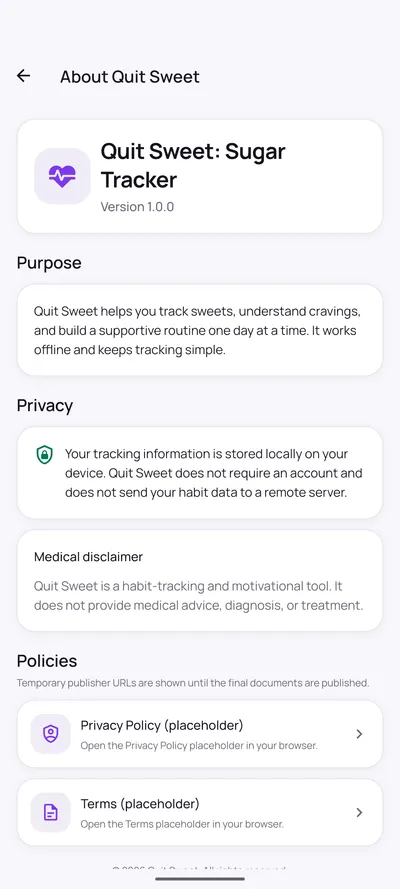
Deleting removes your local records. Because nothing is held on a developer server, deletion is final and cannot be undone remotely.
Which goal should you pick?
That is your call. Quit Sweet does not recommend one, and it gives no dietary advice. What follows is simply how each mode measures progress, so you can choose the one that fits how you think.
Quit sweets
Builds a sweet-free streak. The count starts at your latest sweet entry, or at your journey start date, and each consecutive sweet-free day adds to it.
Suits someone who finds a clean line easier to hold than a limit.
Reduce gradually
Works against a weekly target. Any day whose rolling seven-day total sits at or below your target counts towards the streak.
Suits someone cutting back from a habit they have measured honestly.
Stay within a limit
Gives you a daily allowance. Staying at or under it keeps the streak going, and the home screen shows what is left for today.
Suits someone who wants room for a planned treat without losing track.
Whichever you choose, switching later keeps every entry. If you are unsure, the goal features section explains what each mode changes on screen.
That is the whole loop
Log what happens, pause when you need to, check in once a day, and look at the patterns when you are curious. The craving flow and progress views each have a page of their own, and the privacy policy covers how your data is handled.